
Top Stories
USB 3.0 Ports May Cause More Problems Than USB 2.0: Experts Warn

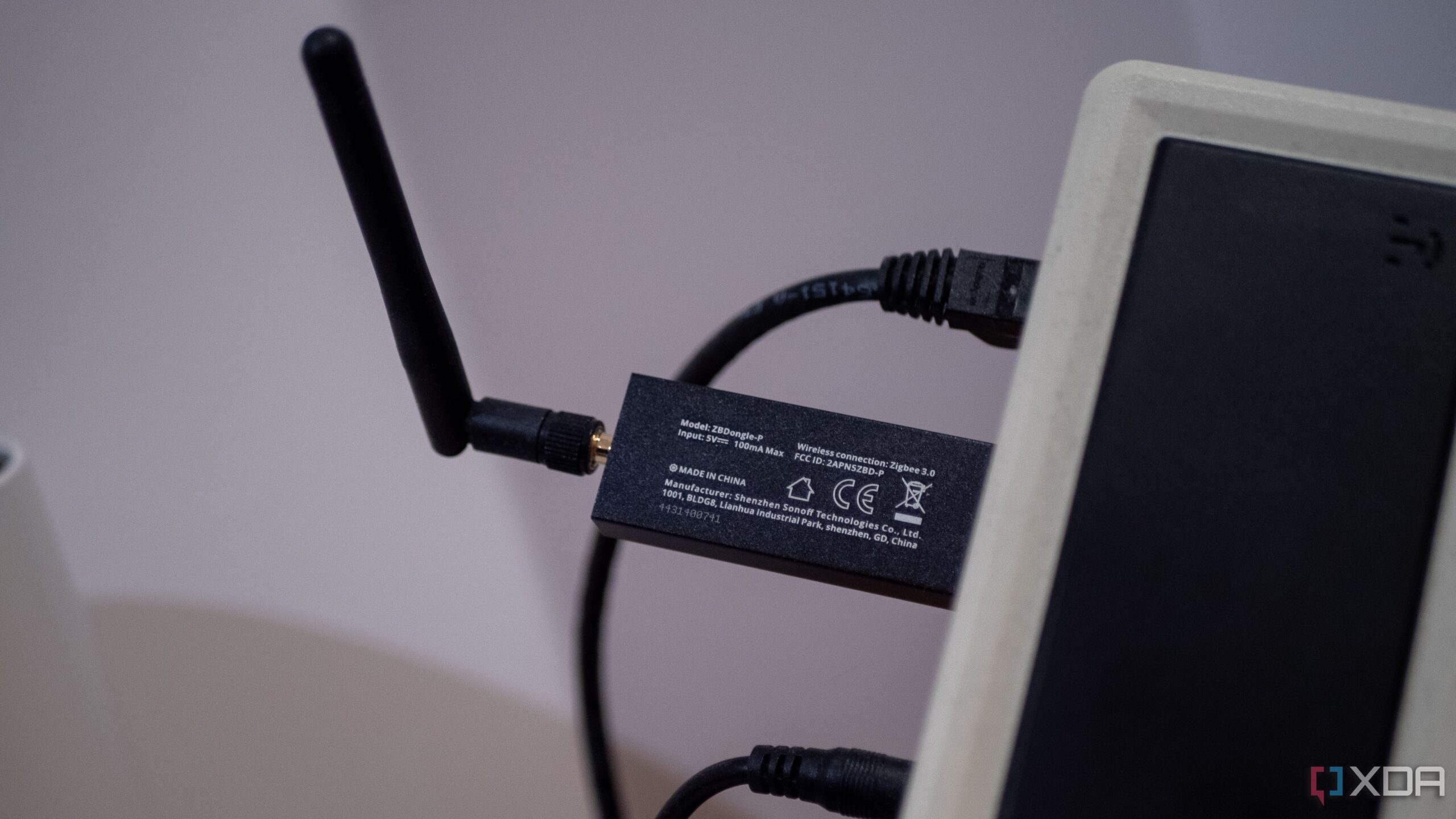
URGENT UPDATE: New reports reveal that USB 3.0 ports, despite their promise of speeds up to 10 times faster than USB 2.0, could actually lead to significant issues in real-world scenarios. This critical insight comes from experts analyzing the impact of USB technology on device performance and compatibility.
The launch of USB 3.0 in 2008 introduced a theoretical speed increase from 480 Mbps to 5 Gbps. However, experts caution that faster speeds are not always advantageous. Notably, USB 3.0’s advanced signaling mechanisms can interfere with wireless devices operating on the 2.4 GHz band, which is crucial for Bluetooth, Wi-Fi, and other low-power RF protocols.
Intel has documented these interference issues, highlighting that USB 3.0 devices can render keyboards, mice, and Wi-Fi adapters virtually unusable when operating nearby. In contrast, the older USB 2.0 ports emit minimal interference, making them a reliable choice for users experiencing wireless connectivity problems.
Another major concern is the higher power draw associated with USB 3.0. While it boasts a power capacity of 900 mA, the increased energy consumption can lead to overheating, particularly in laptops and fanless systems. This is critical for users aiming to maximize battery life and reduce system temperatures, as USB 2.0 ports consume significantly less power.
Moreover, USB 3.0’s stricter cable requirements can complicate everyday usage. The need for better shielding and tighter manufacturing tolerances means that low-quality or longer USB 3.0 cables may lead to unstable connections. In environments with numerous cheap cables, USB 2.0’s reliability can be a game-changer, ensuring a stable connection even under less-than-ideal conditions.
Compatibility issues also plague USB 3.0. While it is theoretically backward compatible with older devices, users often report unpredictable behaviors. Older peripherals, such as vintage printers and industrial equipment, may connect more reliably to USB 2.0 ports. This is crucial for users relying on legacy devices, as USB 3.0 can complicate the experience with inconsistent connections and power delivery problems.
Finally, the complexity of USB 3.0 controllers increases the potential for driver conflicts and installation issues. Experts warn that users may face longer installation times and a higher likelihood of bugs, particularly with older systems. The simplicity of USB 2.0 offers a more stable experience, albeit at the cost of advanced features.
As users continue to navigate the evolving landscape of USB technology, the choice between USB 2.0 and USB 3.0 may not be as straightforward as it seems. For those prioritizing reliability, compatibility, and energy efficiency, opting for USB 2.0 could prove to be the smarter choice.
Stay tuned for further updates on this developing story. Share your thoughts and experiences with USB technology on social media to join the conversation!

Donations Target Global Health Challenges, Potential to Save Millions

Urgent: Apple TV Cyber Monday Deal Ends Soon – Save Over 50% Now!

Enhance Your Charitable Impact with These Effective Giving Tips

Congress Faces Urgent Deadline to Extend Health Insurance Subsidies

Defense Tech Funding Surges to Record High of $7.7 Billion

Aurora Siblings Shine in the 99th Macy’s Thanksgiving Day Parade

U.S. Fentanyl Trafficker Killed in Mexican Military Operation

Barn Cat Taco Moves In: A Family’s Heartwarming Change

Fed Chair Powell to Speak Tonight; No Monetary Policy Insights Expected

Urgent Update: Tom Aspinall’s Vision Deteriorates After UFC 321

MIT Scientists Uncover Surprising Genomic Loops During Cell Division

University of Hawaiʻi Joins $25.6M AI Project to Enhance Disaster Monitoring

AI Disruption: AWS Faces Threat as Startups Shift Cloud Focus

Time Crystals Revolutionize Quantum Computing Potential

Honeywell Forecasts Record Business Jet Deliveries Over Next Decade

Discover the Full Map of Pokémon Legends: Z-A’s Lumiose City

GOP Faces Backlash as Protests Surge Against Trump Policies

Parenthood Set to Depart Hulu: What Fans Need to Know
-
 Top Stories1 month ago
Urgent Update: Tom Aspinall’s Vision Deteriorates After UFC 321
-
 Health2 months ago
MIT Scientists Uncover Surprising Genomic Loops During Cell Division
-
Science4 weeks ago
University of Hawaiʻi Joins $25.6M AI Project to Enhance Disaster Monitoring
-
 Top Stories1 month ago
AI Disruption: AWS Faces Threat as Startups Shift Cloud Focus
-
 Science2 months ago
Time Crystals Revolutionize Quantum Computing Potential
-
 World2 months ago
Honeywell Forecasts Record Business Jet Deliveries Over Next Decade
-
 Entertainment2 months ago
Discover the Full Map of Pokémon Legends: Z-A’s Lumiose City
-
 Top Stories2 months ago
GOP Faces Backlash as Protests Surge Against Trump Policies
-
 Entertainment2 months ago
Parenthood Set to Depart Hulu: What Fans Need to Know
-

 Politics2 months ago
Judge Signals Dismissal of Chelsea Housing Case Citing AI Flaws
-

 Sports2 months ago
Yoshinobu Yamamoto Shines in Game 2, Leading Dodgers to Victory
-

 Health2 months ago
Maine Insurers Cut Medicare Advantage Plans Amid Cost Pressures