
Top Stories
SSD Speed Issues Revealed: Why Your Drive Might Slow Down Now

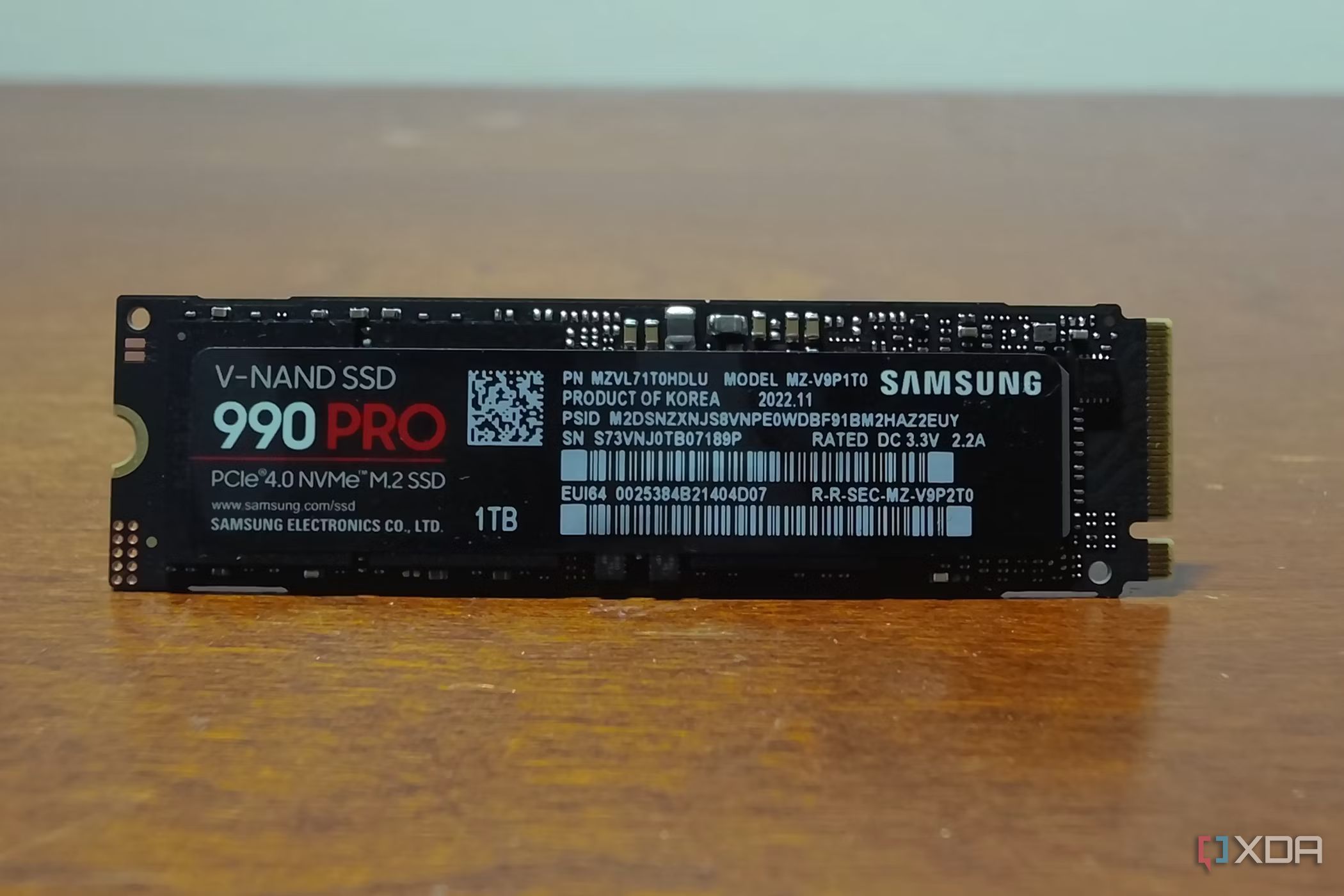
UPDATE: New reports confirm that many users are experiencing significant slowdowns with their newly purchased NVMe SSDs, just as they start demanding high performance for tasks like gaming and 4K video editing. This urgent issue raises concerns for tech enthusiasts relying on blazing speeds to enhance their digital experiences.
Experts explain that SSDs, while marketed with impressive read and write speeds, often fail to deliver these numbers under real-world conditions. The discrepancy stems from the nature of how these drives operate. The speeds advertised are usually based on sequential performance, which cannot be replicated during typical usage scenarios, including heavy workloads that require random access speeds.
Thermal throttling is another critical factor that affects SSD performance. When subjected to intense tasks, such as exporting high-resolution videos, SSDs can heat up dramatically. Reports indicate that SSD controllers may exceed temperatures of 80°C in just minutes, leading to automatic throttling to prevent overheating. This means that under sustained loads, users might notice a significant drop in performance—a scenario that can be frustrating for those expecting top-tier speeds.
Additionally, the type of NAND used in SSDs plays a vital role in speed retention. Most modern SSDs utilize MLC (Multi-Level Cell), TLC (Triple-Level Cell), or QLC (Quad-Level Cell) technology. While these types can achieve high speeds initially, they often slow down as the cache fills up. For instance, QLC drives, known for their lower performance, can struggle significantly once their fast cache is depleted.
In practical terms, many mid-range SSDs can manage around 100GB of data transfer before experiencing slowdowns, while premium drives may handle over 500GB without losing speed. This variance is crucial for consumers to consider when selecting an SSD for high-demand applications.
Garbage Collection (GC) processes further complicate matters. Unlike traditional hard drives, which can overwrite data directly, SSDs must delete entire blocks before writing new data. As SSDs fill up, GC becomes more time-consuming, leading to slower performance if the drive is occupied beyond 80% capacity. Experts recommend keeping at least 20% of an SSD’s space free to ensure optimal performance and longevity.
To mitigate these issues, users are advised to invest in SSDs equipped with effective cooling solutions and to ensure their PC cases have proper airflow. Checking reviews for specific models can help identify which drives offer better thermal management and power efficiency.
As SSD technology evolves, understanding these limitations becomes increasingly vital for consumers. Many users will find that for everyday tasks like gaming and web browsing, these speed drops may not significantly affect their experience. However, for those engaged in demanding workflows, being informed about potential SSD performance issues is crucial.
As this situation develops, tech experts urge users to proactively manage their SSDs, keeping them cool and maintaining ample free space to avoid performance pitfalls. Stay tuned as we continue to monitor updates on SSD technology and performance benchmarks.

Black Friday 2025: Record Online Sales Surge Amid Store Decline

Urgent: Jim Chanos Warns of Nvidia’s Risky Debt Market Amid Market Volatility

Sibling Support: Sister to Buy Brother’s Home Amid Crisis

Shocking Arrest: Santa, 67, Detained for Child Abuse in Brazil

Donations Target Global Health Challenges, Potential to Save Millions

Urgent: Apple TV Cyber Monday Deal Ends Soon – Save Over 50% Now!

Enhance Your Charitable Impact with These Effective Giving Tips

Congress Faces Urgent Deadline to Extend Health Insurance Subsidies

Defense Tech Funding Surges to Record High of $7.7 Billion

Urgent Update: Tom Aspinall’s Vision Deteriorates After UFC 321

MIT Scientists Uncover Surprising Genomic Loops During Cell Division

University of Hawaiʻi Joins $25.6M AI Project to Enhance Disaster Monitoring

AI Disruption: AWS Faces Threat as Startups Shift Cloud Focus

Time Crystals Revolutionize Quantum Computing Potential

Honeywell Forecasts Record Business Jet Deliveries Over Next Decade

Discover the Full Map of Pokémon Legends: Z-A’s Lumiose City

GOP Faces Backlash as Protests Surge Against Trump Policies

Parenthood Set to Depart Hulu: What Fans Need to Know
-
 Top Stories1 month ago
Urgent Update: Tom Aspinall’s Vision Deteriorates After UFC 321
-
 Health2 months ago
MIT Scientists Uncover Surprising Genomic Loops During Cell Division
-
Science4 weeks ago
University of Hawaiʻi Joins $25.6M AI Project to Enhance Disaster Monitoring
-
 Top Stories2 months ago
AI Disruption: AWS Faces Threat as Startups Shift Cloud Focus
-
 Science2 months ago
Time Crystals Revolutionize Quantum Computing Potential
-
 World2 months ago
Honeywell Forecasts Record Business Jet Deliveries Over Next Decade
-
 Entertainment2 months ago
Discover the Full Map of Pokémon Legends: Z-A’s Lumiose City
-
 Top Stories2 months ago
GOP Faces Backlash as Protests Surge Against Trump Policies
-
 Entertainment2 months ago
Parenthood Set to Depart Hulu: What Fans Need to Know
-

 Politics2 months ago
Judge Signals Dismissal of Chelsea Housing Case Citing AI Flaws
-

 Sports2 months ago
Yoshinobu Yamamoto Shines in Game 2, Leading Dodgers to Victory
-

 Health2 months ago
Maine Insurers Cut Medicare Advantage Plans Amid Cost Pressures