
Top Stories
6 Essential Tips to Maximize Your NVMe SSD Performance NOW

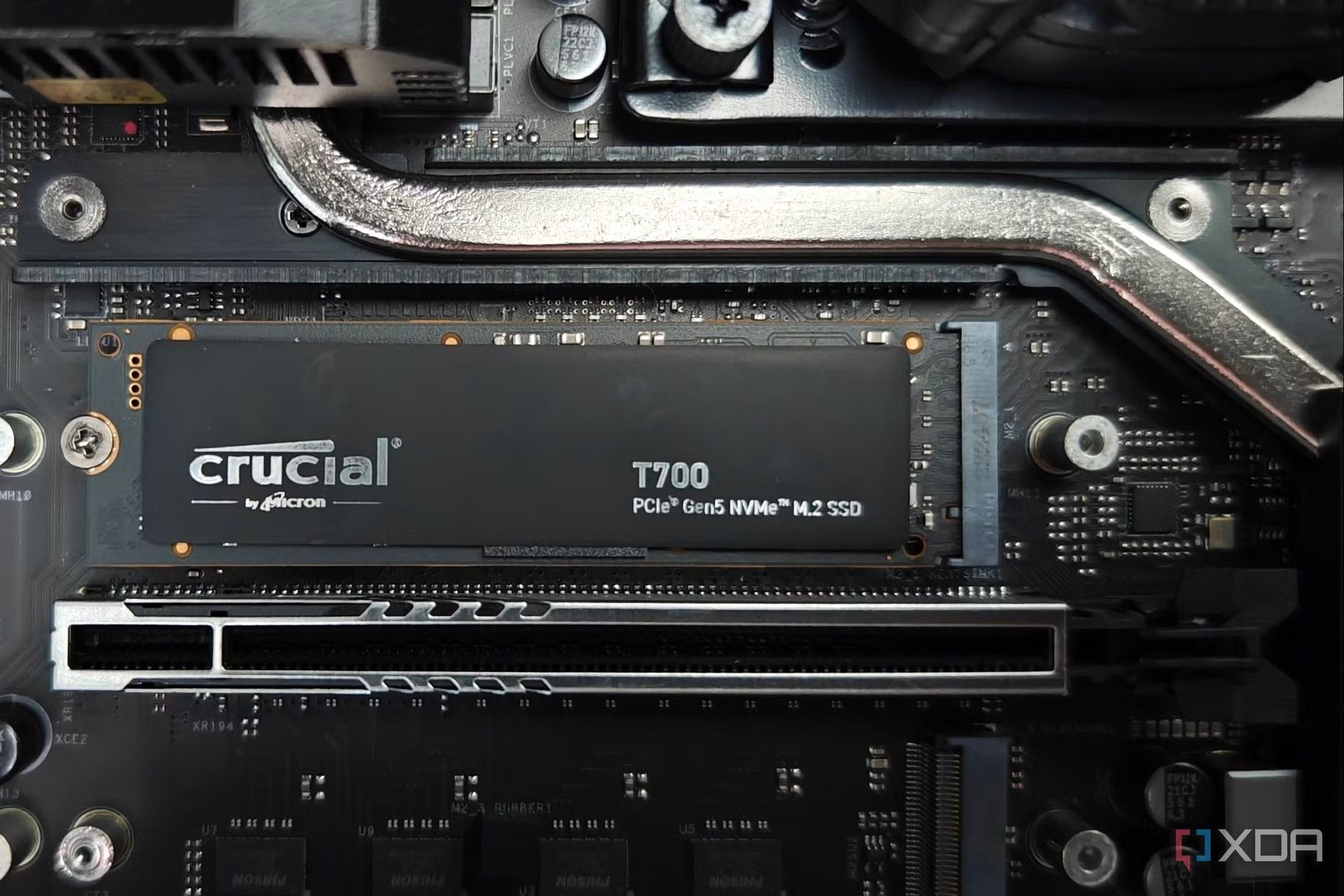
URGENT UPDATE: New guidance just released reveals critical strategies for maximizing the performance and lifespan of your NVMe SSD. As these ultra-fast storage solutions become standard in modern systems, it’s vital to ensure they operate at peak efficiency.
NVMe SSDs are revolutionizing data storage, boasting lightning-fast response times that outpace traditional SATA SSDs and HDDs. However, these advanced drives still require routine care to avoid performance degradation and potential data loss. Here are six essential tips you need to implement immediately to keep your NVMe SSD in optimal condition.
Keep TRIM Enabled for Optimal Performance
One of the most effective ways to maintain your NVMe SSD is by ensuring that TRIM is enabled. This command allows your operating system to inform the SSD which data blocks are no longer in use, preventing clutter that can slow down performance. To check if TRIM is active on your Windows system, open Command Prompt and enter fsutil behavior query DisableDeleteNotify. If the output is 0, TRIM is enabled. If it’s 1, run fsutil behavior set DisableDeleteNotify 0 to activate it.
Maintain Free Space: 10-20% Rule
Another crucial practice is to always leave 10-20% of your NVMe SSD free. Unlike traditional hard drives, SSDs need this space to manage data efficiently. Filling the drive to capacity can force it to write and erase the same blocks repeatedly, leading to faster wear. Aim to keep your SSD below 80% capacity to ensure longevity and consistent performance.
Monitor and Control Temperature
High temperatures can severely impact your SSD’s performance. If your NVMe drive exceeds 70°C, it may throttle its speed to avoid damage. Regularly check your drive’s temperature using free tools like CrystalDiskInfo. If overheating occurs, consider adding heatsinks or improving your case’s airflow to keep temperatures down.
Defragmenting is NOT Your Friend
While defragmenting was once a crucial maintenance task for HDDs, it does not apply to SSDs. In fact, defragmenting can shorten the lifespan of your SSD by unnecessarily adding write cycles. Windows typically manages SSD optimization automatically, so let it do its job and avoid manual defragmentation.
Avoid Heavy Write Workloads
Heavy write workloads can accelerate wear on SSDs, as they have a limited number of write cycles. For users engaged in data-intensive tasks—like video editing or coding—consider offloading temporary files and downloads to secondary storage drives. This will help extend the life of your primary NVMe SSD.
Regular Health Monitoring is Key
Finally, make it a habit to regularly monitor your NVMe SSD’s health. Use tools like CrystalDiskInfo or Samsung Magician to check metrics such as total writes, temperature, and SMART status. This proactive approach will help you catch potential issues early, allowing you to safeguard your data effectively.
As NVMe SSDs continue to dominate the storage landscape, following these six practices will ensure you get the most out of your investment. With minimal maintenance, you can enjoy the speed and efficiency of your NVMe drive for years to come.
Don’t wait—implement these tips NOW to enhance your NVMe SSD performance and longevity!

Philadelphia Parks Launch Free Earth Month Events Starting April 1

Bradford’s Fish Fry Fridays Serve Community with Delicious Dinners

Trump Faces Growing Challenges Amid Rising Tensions with Iran

Scientists Probe the Universe’s Missing Topological Defects

Samsung Galaxy Watch 9 to Feature Larger 435mAh Battery

UConn Huskies Aim to Defend Title in 2026 NCAA Women’s Tournament

U.S. Littoral Combat Ships Dock in Malaysia Amid Regional Tensions

Healthy Choice Wellness Reports Quarterly Earnings, Shares Rise

Urgent News: Charles M. Payment Passes Away at 78 in Duluth

University of Hawaiʻi Joins $25.6M AI Project to Enhance Disaster Monitoring

Major Grant Enhances Cancer Care and Research in Hawaiʻi

Joleen Chaney, Beloved Journalist, Passes Leaving Lasting Legacy

San Francisco’s SFO to Welcome 16 Airlines with Nonstop Flights to Europe in 2026

Goldman Sachs Unveils 2026 Catalyst Playbook for Biotech Investors

Discover Top Business Smartphones for Professionals in 2026

Urgent Update: Tom Aspinall’s Vision Deteriorates After UFC 321

Texas Roadhouse Honors Veterans with Free Meal Vouchers

CD Projekt Red Confirms No Release for The Witcher 4 in 2026
-
Science9 months ago
University of Hawaiʻi Joins $25.6M AI Project to Enhance Disaster Monitoring
-
 Health8 months ago
Major Grant Enhances Cancer Care and Research in Hawaiʻi
-
 Top Stories9 months ago
Joleen Chaney, Beloved Journalist, Passes Leaving Lasting Legacy
-
 World7 months ago
San Francisco’s SFO to Welcome 16 Airlines with Nonstop Flights to Europe in 2026
-
 Business8 months ago
Goldman Sachs Unveils 2026 Catalyst Playbook for Biotech Investors
-
 Business7 months ago
Discover Top Business Smartphones for Professionals in 2026
-
 Top Stories9 months ago
Urgent Update: Tom Aspinall’s Vision Deteriorates After UFC 321
-
 Lifestyle9 months ago
Texas Roadhouse Honors Veterans with Free Meal Vouchers
-
 Entertainment8 months ago
CD Projekt Red Confirms No Release for The Witcher 4 in 2026
-

 Top Stories10 months ago
AI Disruption: AWS Faces Threat as Startups Shift Cloud Focus
-

 Health10 months ago
MIT Scientists Uncover Surprising Genomic Loops During Cell Division
-

 Entertainment10 months ago
Discover the Full Map of Pokémon Legends: Z-A’s Lumiose City